
How to Change YouTube Channel Name Fast
youtube channel namechange youtube nameyoutube studio guideyoutube brandingyoutube handle
13 min read
You've outgrown your YouTube channel name. Maybe the content has shifted, your personal brand has become more professional, or viewers now know you by a name that no longer matches the channel page. The click path for changing it is straightforward, but the decision itself deserves more care. A new display name can affect recognition, verification, search behavior, and the way people connect your videos with the brand they already trust.
The safest approach to how to change your YouTube channel name is to treat the rename as a controlled rebrand. Choose the name first, understand the difference between your display name and handle, update the surrounding brand assets, and communicate the change before your audience has to guess what happened.
You're looking at your analytics and noticing a mismatch. The channel started with gaming videos under a playful name, but your strongest recent uploads are tutorials, reviews, and educational explainers. Or perhaps your channel began as a personal project and now represents a studio, consultancy, or wider media brand. In both situations, the old name can make promising content look less relevant before anyone watches.
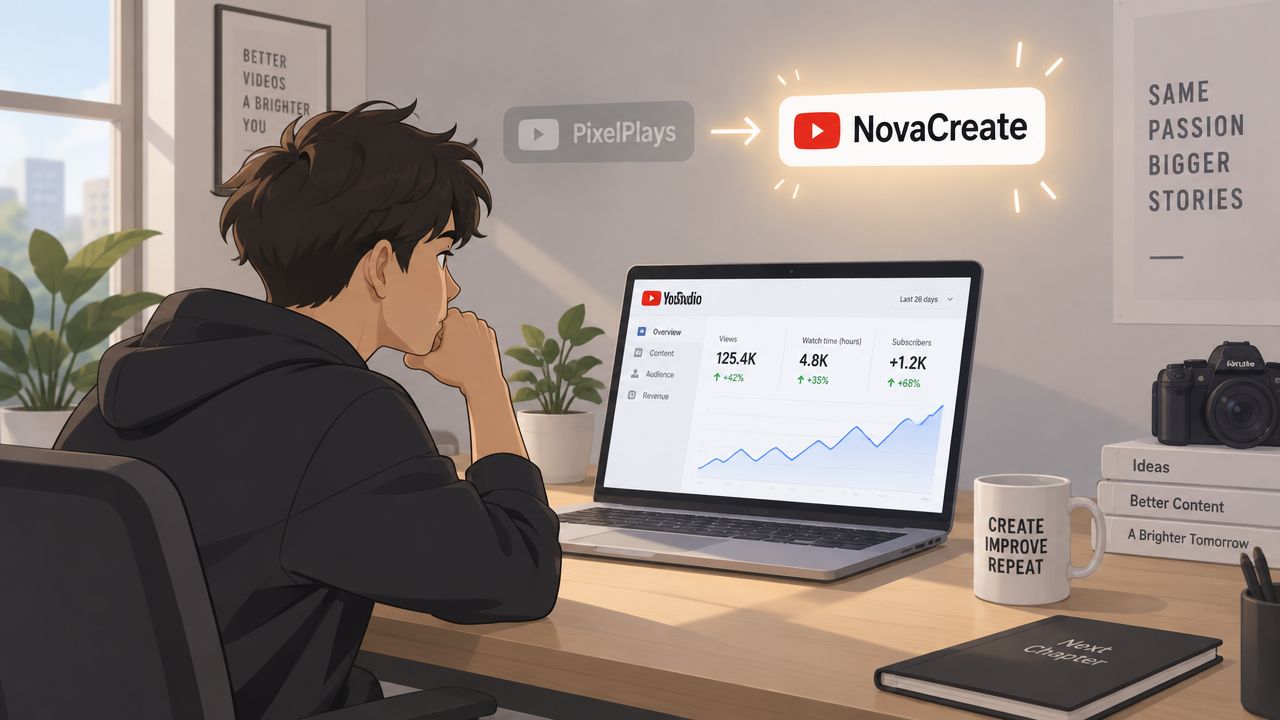
A channel rename works best when it reflects a real change in direction, not a temporary reaction to one underperforming upload. A durable name should be easy to say, easy to spell, relevant to your current promise, and flexible enough to accommodate sensible growth. If you're also building recognition elsewhere, consistency matters. Guidance on how to grow your influence on TikTok is useful here because the same identity principles apply across video platforms.
Your channel name is the public display name viewers see across your channel and content surfaces. Your handle, which uses the @ format, is a separate identity element. Changing the display name doesn't automatically mean your handle will match, so check both before publishing a rebrand.
That distinction prevents a common problem: a channel page says “NovaCreate,” while the handle, URL, social profiles, and old promotional materials still point to “PixelPlays.” The audience may understand the change eventually, but the mismatch creates unnecessary hesitation when someone searches for you or shares your channel.
Strategic rule: Rename the channel only after you've decided whether the handle, banner, profile image, links, and external accounts need coordinated updates.
Your channel name also sits inside a larger business question. If monetization, sponsorships, or lead generation matter, the name should support the audience you want to attract rather than preserve an identity built for an earlier stage. You can also review related planning considerations in this guide to how many subscribers you need on YouTube to make money, but don't let a monetization goal push you into a name that overpromises what the channel delivers.
A rename is easy to publish and easy to mishandle. Before opening YouTube Studio, confirm that you are signed in to the correct channel and that the new display name matches the identity decisions made for your handle, banner, profile image, and public links.
On desktop, open YouTube Studio, select Customization from the left menu, and open the Profile tab. Enter the new channel name, review the description, translations, and links in the same profile area, then click Publish. Google's [official channel profile instructions](https://support.google.com/youtube/answer/2657964?hl= en-GB&ref_topic=9267586) document this route for updating profile details. Use the review as a rebrand check, not just a name edit. Old positioning in the description or links can make the new name feel disconnected.
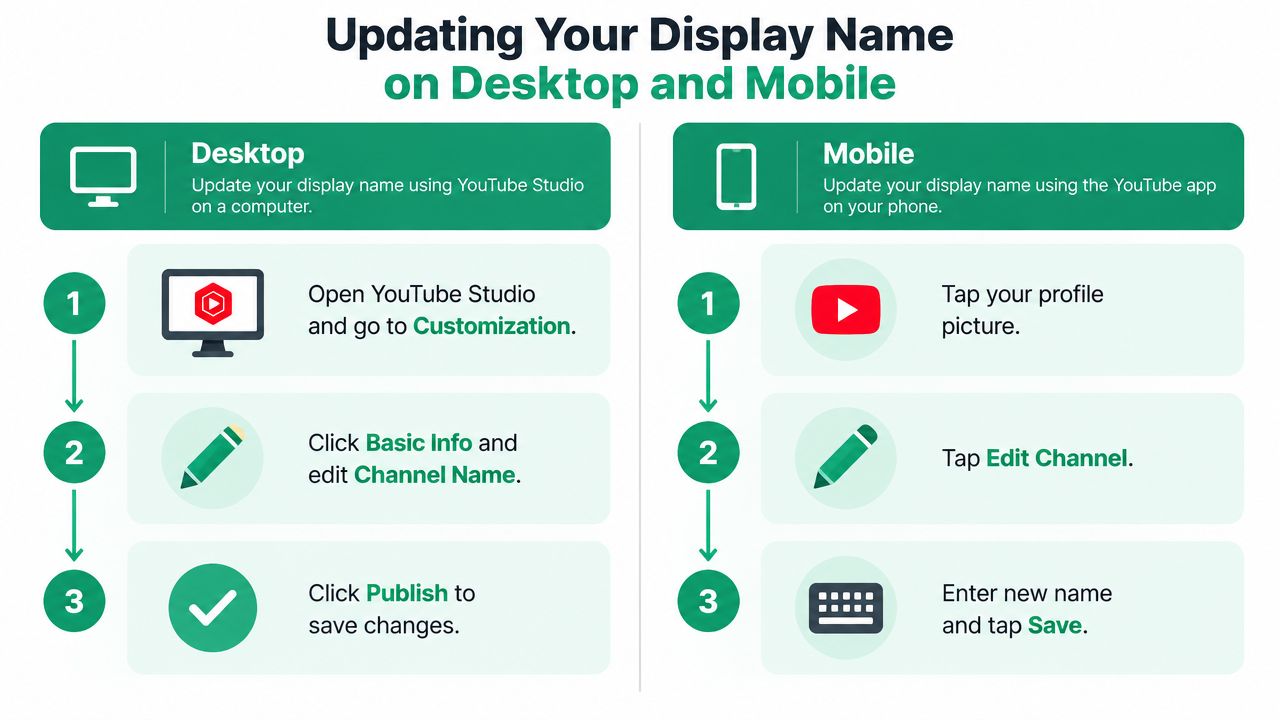
On mobile, open the YouTube app, tap your profile picture, choose View channel, and select Edit channel. Edit the name and save it. Menu wording may vary by app version. Confirm that you are changing the channel profile, not the Google Account name used to sign in.
Open the channel page as soon as the update saves. Verify the new name, then inspect the banner, profile image, description, links, and featured sections. Review recent thumbnails, video intros, downloadable materials, and external pages too. A homepage can show the new identity while older promotional assets still point viewers toward the previous one.
YouTube's help guidance permits a channel name change twice within a 14-day period (YouTube Help). Proofread spelling, capitalization, spacing, and how the name appears beside a video title or in recommendations before publishing. A rushed correction can use the remaining edit opportunity and make the rebrand look unsettled.
The updated name may take time to appear across YouTube surfaces. Check the channel page and other visible placements during that update window. Keep the audience message direct: announce the new name and mention the previous one so returning viewers can connect both identities.
A rename can look correct in YouTube Studio while creating uncertainty elsewhere. Longtime viewers may remember the previous identity, new visitors may question the unfamiliar name, and campaign materials can continue sending people toward outdated branding.
The most serious technical risk affects verified channels. YouTube states that changing the name of a channel with a verification badge removes that badge, after which the renamed channel must reapply through the relevant process (YouTube Help on verification). For an established creator, that loss can weaken a quick authenticity signal used by viewers, partners, and people searching for the channel. Treat verification status as part of the rebrand plan, not as a minor profile detail.
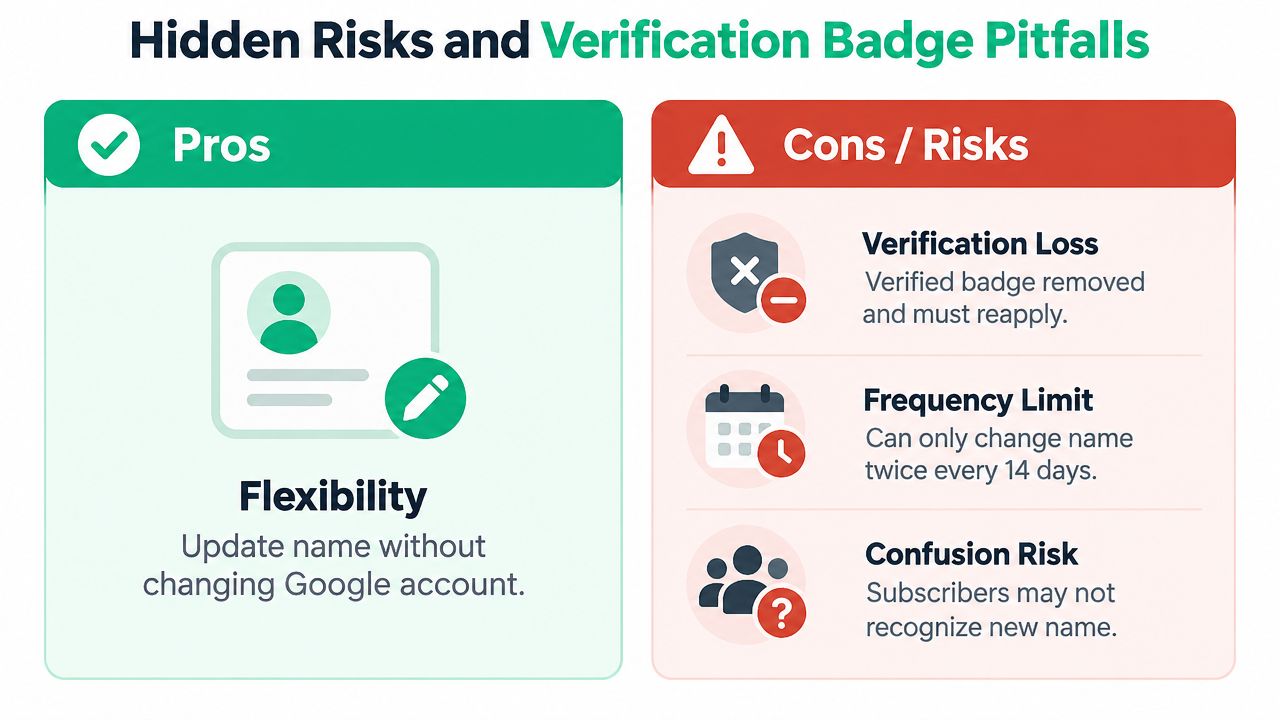
YouTube limits name edits to two changes within 14 days, as noted earlier. Do not use those opportunities to test several spellings or abandon an unfinished naming decision. A rushed first edit can leave less room to fix a genuine mistake, while repeated changes can make viewers question whether the rebrand is settled.
The new name may also take time to appear consistently across YouTube services. Schedule major launches, sponsorship announcements, and campaign links with that delay in mind. During the transition, state the new name clearly and mention the previous one so returning viewers can connect both identities.
Use a short transition plan:
Check the @handle separately. A changed display name paired with an old handle can make viewers wonder whether they reached the correct channel. Confirm the final identity before updating public profiles, sponsorship materials, and campaign URLs.
The production details matter too. The ClipOven YouTube size ratio guide can help you prepare updated channel visuals without stretching or cropping them incorrectly. After publishing, inspect the live channel on desktop and mobile to catch mismatched names, graphics, and verification visibility.
The rename process depends on the account structure behind the channel. A personal channel connects directly to an individual Google Account. A Brand Account represents a separate public identity and supports access arrangements that suit companies, production teams, or channels managed by more than one person.
| Feature | Personal Account | Brand Account |
|---|---|---|
| Public channel identity | Managed through the personal channel profile | Managed through the brand channel profile |
| Google sign-in identity | Connected to the individual account | Separated from the individual's public brand identity |
| Team access | Less suitable when several people need channel control | Better suited to shared management |
| Rebrand planning | Protect personal identity while editing the channel profile | Keep the brand identity distinct from personal Gmail details |
| Main risk | Confusing a channel rename with a Google Account rename | Moving or managing the wrong channel during account changes |
For a personal channel, changing the YouTube display name does not require changing the Gmail address used to sign in. The public handle and display name can change independently from the underlying account identity, allowing a channel rebrand without changing the broader Google Account.
That separation reduces unnecessary account changes, but it does not remove the risk of editing the wrong channel. Creators who manage several channels should confirm the profile picture, channel name, and active Studio workspace before saving changes. A wrong-channel rename can create confusion even when the interface performs correctly.
A personal structure may suit a creator whose public identity and channel identity are closely connected. It becomes less practical when employees, contractors, or business partners need ongoing control, especially if the channel must continue without the original owner's personal login.
A Brand Account usually fits a company, production team, or channel intended to outlast one individual's personal login. It keeps the public identity separate from personal Gmail details and supports more deliberate management permissions.
Treat migration as an account decision, not a naming shortcut. Before moving a personal channel into a Brand Account, identify the exact destination, confirm who should retain access, and review YouTube's current transfer instructions. Check the channel's videos, subscribers, permissions, and public identity before approving any transfer. A mistaken move can create a larger operational problem than an outdated display name.
The choice also affects how far the brand may expand. A channel producing interviews, explainers, or educational series might later distribute selected material as audio. Guidance on turning YouTube content into a podcast can help determine whether the brand should describe one video format or a broader content operation. Keep the account structure aligned with that decision, while preserving clear ownership and access records.
A YouTube rename creates a moment to inspect every place where your audience encounters the brand. The channel page is only one touchpoint. Viewers may discover you through social profiles, search results, newsletters, podcast feeds, embedded videos, guest appearances, or old thumbnails shared by other people.
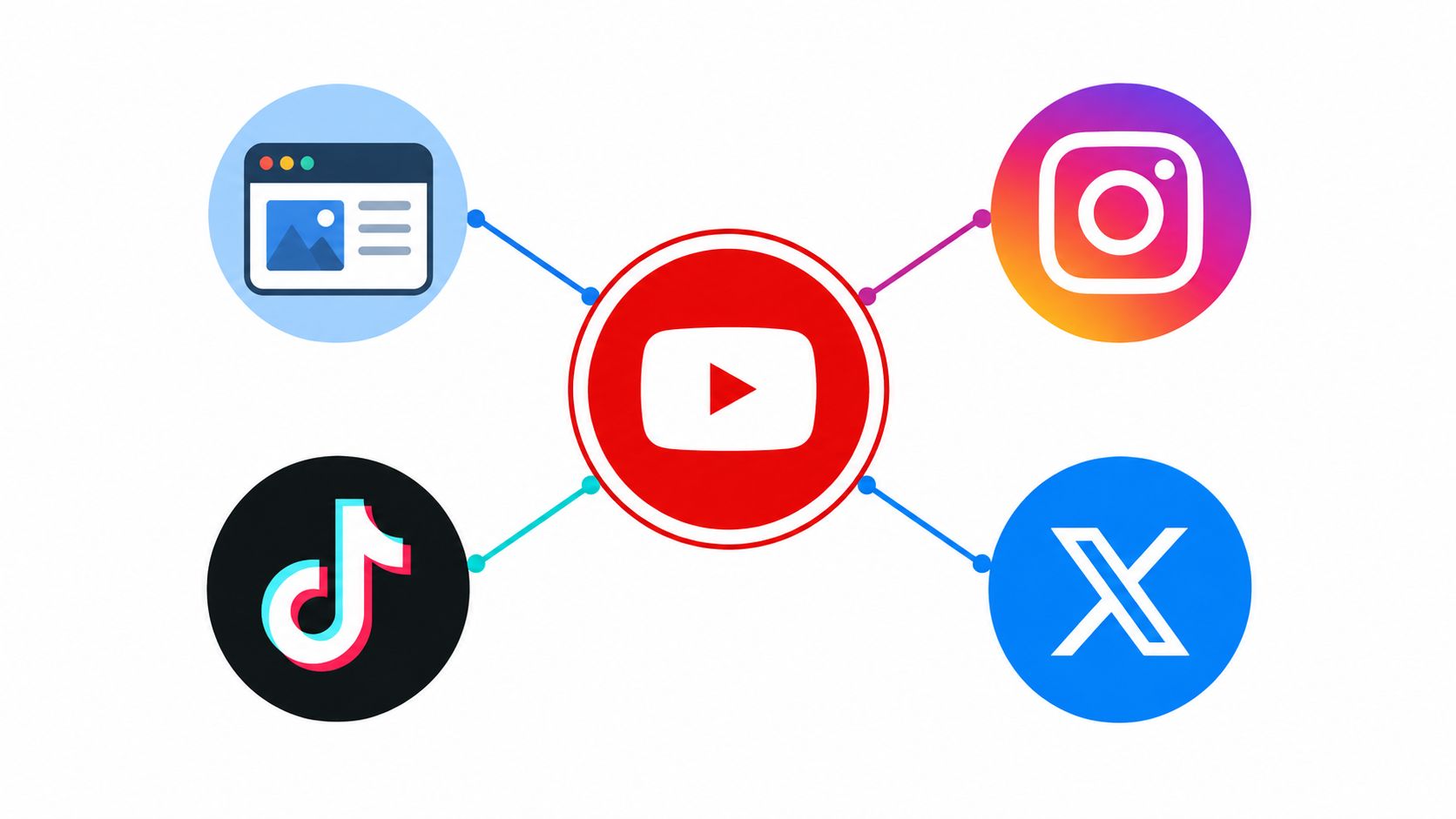
Start with an identity map. Write down the new display name, handle, preferred description, profile image, banner wording, website label, and the short explanation you'll use when announcing the change. That document becomes the reference point for every platform, which is especially helpful when several people publish or manage the channel.
A strong rebrand doesn't force every platform to look identical. It gives each format the same recognizable promise. YouTube may deliver demonstrations, an audio feed may deliver discussions, and a website may provide supporting resources. The audience should still understand that each experience belongs to the same brand.
Repurposing can support that consistency when the source material remains aligned with the new positioning. AI podcast workflows can ingest selected YouTube channels and transform suitable material into recurring audio episodes, but the editorial review still matters. Not every video should become audio, particularly when the explanation depends heavily on on-screen visuals. See how an AI content repurposing tool can fit into a broader workflow, then choose episodes based on listener usefulness rather than volume.
The production layer matters too. Updated thumbnails, title cards, subtitles, and short-form cuts should use the new identity without making old content look misleading. If you're comparing production options, this guide to top video editing software for creators can help you evaluate tools for maintaining a consistent visual system.
Update your website, social bios, email signature, podcast artwork, media kit, and sponsor documents. Keep the old name visible in a transition note where it helps existing viewers, such as “formerly PixelPlays.” That phrase gives searchers and subscribers a bridge instead of forcing them to infer what changed.
Also review links inside older descriptions and pinned comments. The goal isn't to rewrite every historical asset at once. Prioritize the pages and videos that receive regular attention, represent your best work, or continue to introduce new viewers to the channel.
A smooth rename comes from preparation, not speed. Before you publish, test the identity as a viewer would encounter it. Read the name beside a video title, say it aloud, search for it, and ask whether someone who knows the old brand will recognize the new one.
Use this final checklist:
Audience-first advice: Your existing subscribers shouldn't have to solve the rebrand themselves. Give them the old name, the new name, and the reason in one clear message.
The publish button is the final execution step, not the beginning of the strategy. Once the name changes, keep the surrounding language consistent across uploads so viewers learn the new identity through repeated, useful content rather than through branding alone.
podcast-generator.ai offers Flow, which turns the topics you describe into personalized, recurring podcast episodes. If you're planning a channel rebrand and want to explore its subject in audio, visit podcast-generator.ai to explore the workflow.
Get a personalized podcast series on the topics you care about, researched fresh and delivered on your schedule.
Get Started Now