
AI Content Repurposing Tool: Features and Smart Workflows
ai content repurposing toolai repurposingcontent automationpodcast automationmultilingual ai
13 min read
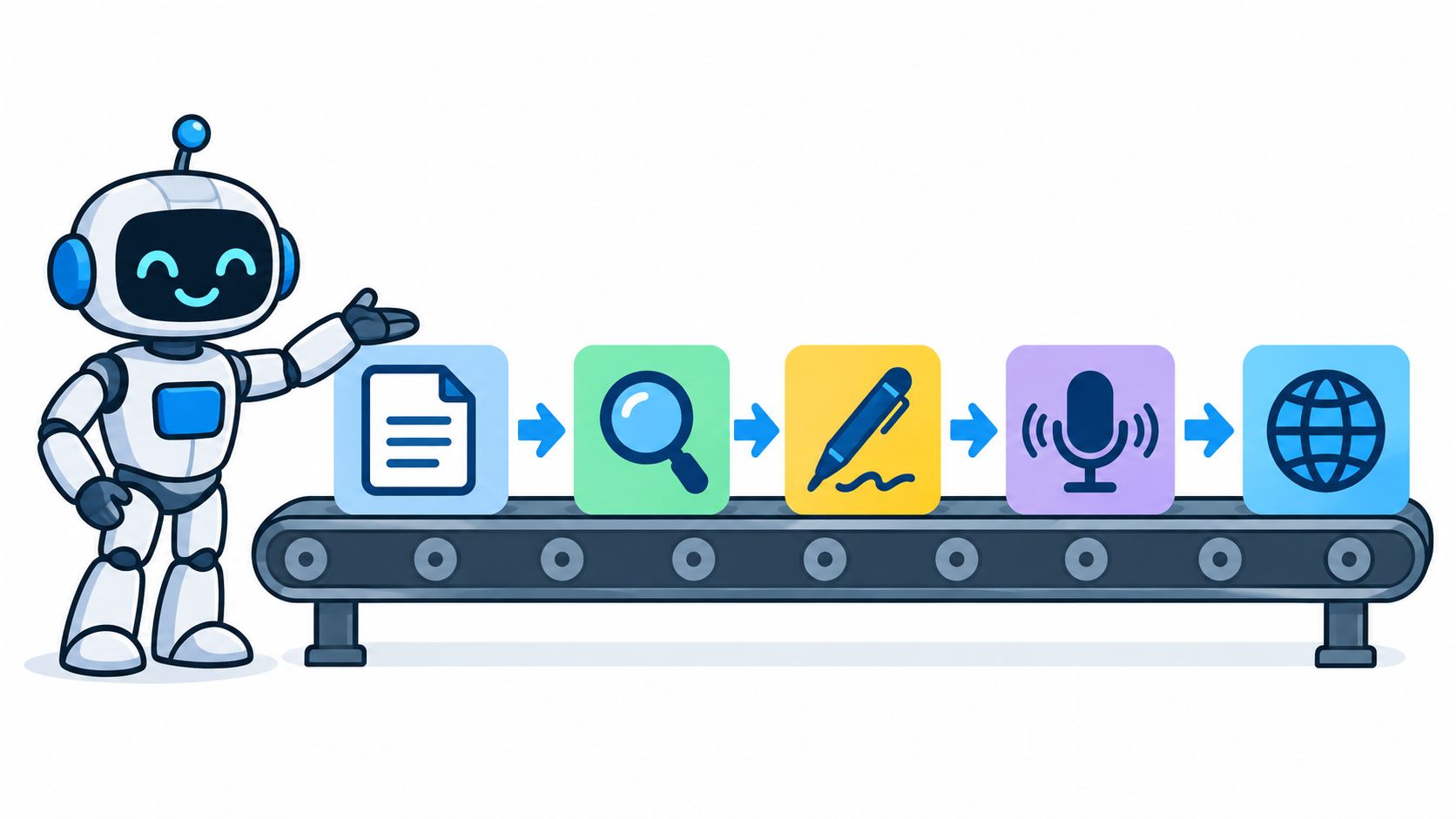
You've saved a research paper for later, bookmarked a useful article, recorded a webinar, and collected notes for a newsletter. A week later, the material is still sitting in separate tabs while your audience sees none of it. The difficult part isn't creating one strong source. It's turning that source into useful audio, summaries, posts, captions, or translated scripts without repeating the work from scratch.
An AI content repurposing tool helps by treating content transformation as a connected workflow. It takes source material, identifies the important ideas, reshapes them for a chosen format, and prepares an editable output. The strongest systems also preserve context, citations, and links, so speed doesn't come at the expense of trust.
An AI content repurposing tool is software that turns long-form material into new formats. You might upload a PDF and receive a spoken briefing, provide a webpage and get a podcast script, or submit a video transcript and generate social posts, summaries, captions, and translated versions.
The tool exists because saved information grows faster than available attention. A researcher may have papers to review. A consultant may have a report to explain. A creator may have a long interview that could become a podcast episode, short video script, email, and social post. Manual conversion makes every derivative feel like a fresh assignment.
Practical rule: Repurposing should preserve the source's meaning while changing the way people consume it.
Think of the process as a pipeline rather than a magic button. The source enters at one end, passes through selection and interpretation, then leaves as an output designed for a particular audience and channel. If the tool skips careful selection, the result can include irrelevant details. If it writes a weak script, a natural voice won't rescue the episode. If it drops citations, a polished summary may become difficult to verify.
That distinction also separates repurposing from reposting. Reposting copies the same material into another place. Repurposing rebuilds the delivery. A podcast needs spoken transitions and shorter sentences, while a study digest needs definitions, structure, and clear references.
Creators working mainly with short-form video may want a specialized workflow to repurpose TikTok clips, while teams working with articles, PDFs, and audio need broader source handling. The right choice depends less on the longest feature list and more on the first transformation you need to make reliable.
A useful analogy is a kitchen production line. You don't hand a chef a box of ingredients and expect a finished meal without sorting, preparation, cooking, and plating. An AI audio workflow works in much the same way.
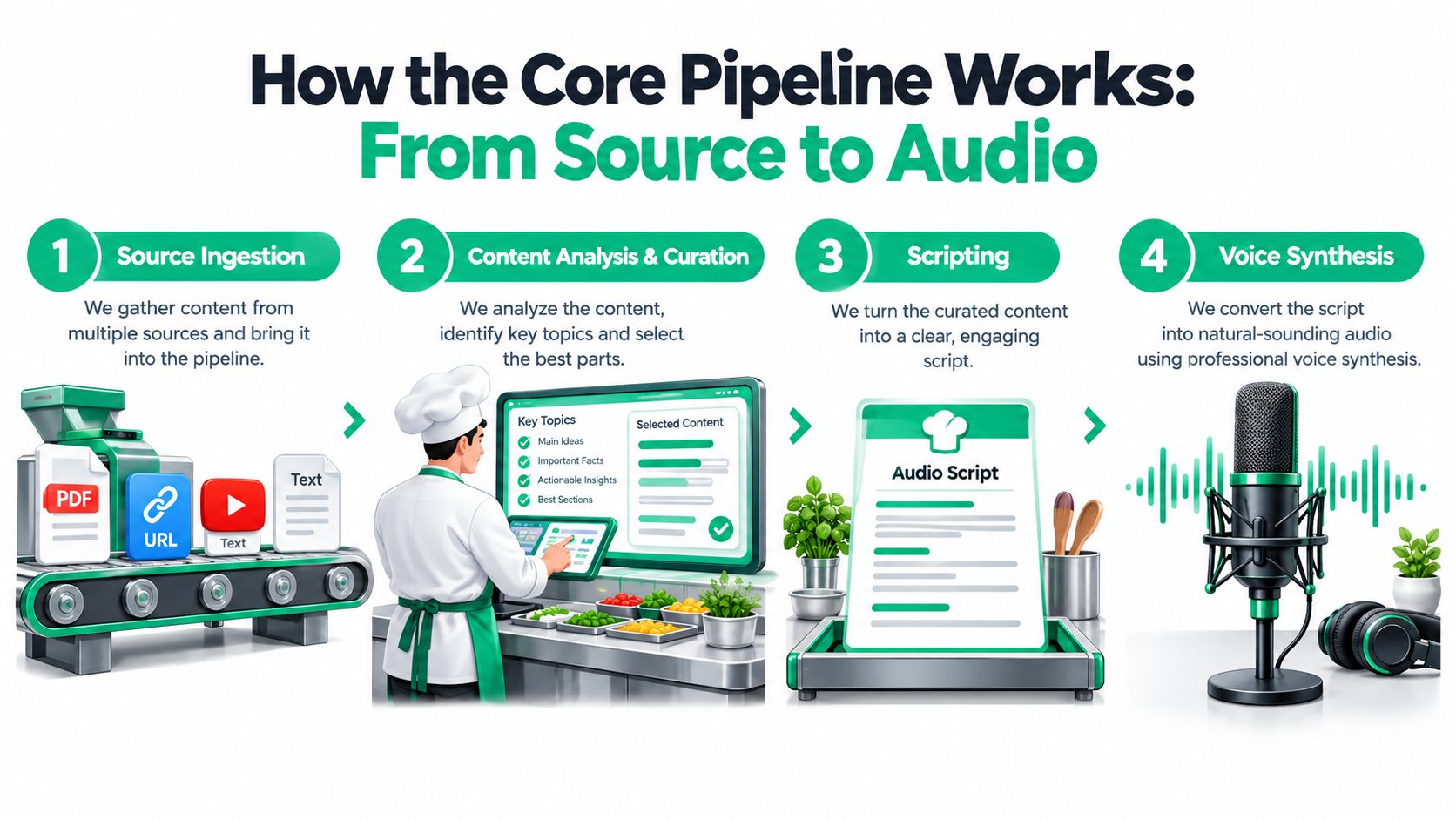
First, the system collects the ingredients. These might be a PDF, webpage, pasted notes, video transcript, or audio recording. The input determines what the tool can work with, so a platform that only accepts pasted text won't suit someone whose knowledge is spread across documents and videos.
The output of this stage is a structured source, usually text with headings, paragraphs, metadata, or timestamps. Extraction errors here can affect everything that follows. A missing table row or misread heading can change the meaning before the model even begins summarizing.
Next, the system acts like a chef sorting ingredients. It identifies topics, removes repetition, groups related ideas, and selects material for the requested audience. A prompt such as “create a short briefing for beginners” should produce a different selection from “prepare a technical review for specialists.”
Podcast summarization research illustrates why this stage matters. One system reported ROUGE-F scores of 0.63 for ROUGE-1, 0.53 for ROUGE-2, and 0.63 for ROUGE-L, showing that transcript-aware extraction can preserve salient material for concise audio digests (arXiv research on podcast summarization). The practical lesson is simple: transcription alone isn't repurposing. The summary layer decides what survives.
The curated material becomes a recipe card, or in this case, a script. The system turns notes into an introduction, sequence of ideas, transitions, examples, and closing. Good scripts are written for the ear. They use shorter clauses, explain unfamiliar terms, and avoid paragraphs that look fine on a screen but sound awkward aloud.
A deeper walkthrough of article-to-audio workflows is available in this guide to turning articles into podcasts.
Finally, voice synthesis converts the approved script into audio. Voice selection, pacing, pronunciation, pauses, and emotional tone all affect whether listeners can follow the result. The finished file may then be exported as an MP3, attached to a private feed, or prepared for another publishing channel.
Some platforms bundle these stages into one interface. Others specialize in a single step, such as transcription, clip selection, editing, or distribution. A modular stack can offer more control, but every handoff creates another place for context, formatting, or citations to disappear.
A modern tool should earn its place by solving a specific bottleneck. Features matter only when they improve a decision, such as what to keep, how to phrase it, which language to use, or how to verify the final output.
Long sources contain valuable ideas alongside background detail, repetition, and material that doesn't fit the audience. Automated curation filters that noise and organizes the remaining content around a purpose. Ask whether you can set the audience, subject emphasis, desired length, or question the output should answer.
A study briefing, for example, should prioritize definitions and relationships between concepts. A commuter update may need only the central developments and their implications. If the tool gives you no control over selection, it may produce a fluent summary that answers the wrong question.
Script generation should preserve the source's structure instead of flattening everything into disconnected points. Look for introductions, transitions, examples, and conclusions that you can edit before audio rendering. An editor should be able to remove a weak claim, correct a term, or change the order without rebuilding the entire episode.
Readers exploring broader AI-assisted workflows can also consult Writingmate's content creation guide. For audio-specific revisions, an AI podcast editor can be useful when the workflow needs more than initial generation.
Voice synthesis affects comprehension as much as polish. The useful controls include voice identity, pacing, pauses, pronunciation, and tone. A conversational briefing may need warmth and variation, while a technical explanation benefits from measured delivery.
There's a trade-off between speed and review. Faster rendering helps with experimentation, but you'll still need to listen for names, abbreviations, numbers, and sentences that looked clear in text but sound confusing aloud.
Language support should mean more than swapping words through a translation layer. The system needs to produce a script that sounds natural in the target language, uses appropriate terminology, and maintains the source's level of certainty.
The MEGA benchmark evaluates generative language models across 16 NLP datasets and 70 typologically diverse languages (MEGA benchmark research). That range highlights why language quality can't be assumed from performance in one major language. Test the actual language, subject vocabulary, and narration you plan to use.
A trustworthy tool should keep the relationship between an output and its source. Useful signals include retained URLs, inline references in text, timestamps for audio segments, and a provenance record that shows which source passages informed each section.
This feature may produce a less smooth script because citations and qualifications take space. For academic, technical, journalistic, or regulated material, that compromise is often preferable to an elegant output that nobody can audit.
A graduate student begins with a folder of academic papers, lecture notes, and a list of questions for an exam. The student uploads the materials, asks the system to organize the content by topic, reviews the generated outline, and edits unclear definitions before requesting audio. The result is a spoken study aid that can be paused, replayed, and checked against the original documents.
The important decision isn't “Can the tool make a podcast?” It's “Can the tool keep separate sources distinct?” A useful workflow labels each document, preserves section boundaries, and makes it easy to investigate where a claim came from.
A marketing consultant takes a long industry report and combines it with personal notes about a client's audience. She asks for a podcast-style script with an opening context, three central takeaways, and a practical close. After editing the language, she uses selected passages as the basis for a LinkedIn voiceover and keeps the report available for verification.
That workflow depends on editable stages. The consultant shouldn't have to accept the tool's priorities just because the voice has already been generated. She needs to choose which findings deserve emphasis and remove anything that doesn't apply to the client.
A Spanish-speaking researcher starts with English interviews and the original transcript. The system creates a Spanish script, checks field-specific terminology, generates narration, and keeps the English text beside the translated version. She can then share the audio with colleagues who prefer Spanish without hiding the original wording.
Guidance on this type of workflow appears in resources about multilingual text-to-speech. For creators who need audio assets or background material, a new user registration page may also be relevant, but it's separate from the repurposing pipeline itself.
These examples share a pattern:
Start with the material you own or manage, not a vendor's polished demonstration. A tool may perform well on a clean article and struggle with scanned PDFs, long interviews, dense tables, or pages that change over time.
Test the formats you use regularly:
Don't judge the system only by the final MP3. Ask whether curation can be adjusted, whether the script remains editable, and whether you can change the voice after reviewing the text.
A reliable demo should let you answer practical questions. Can you remove a section? Can you see the source passages behind a summary? Can you regenerate one paragraph without rerunning the whole project? Can another team member approve the script before publication?
Request a real translation using your own terminology. Listen for pronunciation, sentence rhythm, and consistency in names. Then confirm that exports fit the destination, whether that means MP3 files, RSS feeds, captions, or an embeddable player.
Finally, compare pricing against actual usage limits. Check source length, rendering allowances, seats, export restrictions, and storage rather than relying on the feature headline.
Many comparisons emphasize voice quality, supported languages, output formats, and price. Those criteria matter, but they don't answer a harder question: Can you prove where the transformed content came from?
Source-traceable repurposing keeps an auditable path between the derivative and the original. In text, that might mean clickable citations beside claims. In audio, it could mean timestamps, linked source notes, or a transcript that maps each segment to a document passage. A downloadable provenance report can also help when a team edits, localizes, or republishes the output later.
This matters to students and researchers because a summary without references may not be suitable for coursework or review. Journalists need to check wording and attribution. Marketers need to avoid presenting another person's idea as an original claim. Professional teams need a record when several people modify the same script.
The real question isn't whether AI can shorten content. It's whether the shortened version remains accountable to the source.
The broader market is moving toward multi-step, agent-like repurposing workflows, while platforms are becoming more selective about low-effort AI output, as discussed in the 2026 state of AI content repurposing. That makes provenance a practical quality signal, not an academic extra.
Traceability has costs. It can lengthen processing, add visible references, and make a script sound less polished. For high-stakes material, those costs may be acceptable. If the tool can't show its work, keep a human reviewer responsible for checking every substantive claim before publication.
The first misconception is that an AI content repurposing tool spins text into audio. That describes only the final conversion. A capable workflow ingests different sources, selects relevant material, compresses ideas, writes for a particular audience, synthesizes speech, and manages the connection to the source.
The second misconception is that one-click automation eliminates editorial judgment. It doesn't. A person still decides whether the selected material answers the intended question, whether a qualification was lost, whether the tone fits the audience, and whether the final output is safe to publish.
Multilingual support creates another trap. A language selector doesn't guarantee native fluency. Translation quality, terminology, pronunciation, and cultural tone vary by language and subject, so test a genuine sample instead of accepting a badge on a pricing page.
Use a simple decision path:
podcast-generator.ai offers Flow: you describe the topics you care about, and it researches current material on the web, generates a two-host script, produces the audio and delivers new episodes to a private podcast feed in 40+ languages. Try it with one real topic and evaluate the complete journey, rather than comparing isolated features.
Get a personalized podcast series on the topics you care about, researched fresh and delivered on your schedule.
Get Started Now